
Summary: Explore how GMB optimization helps local businesses improve their Google Maps rankings, increase online visibility, attract more potential customers, and generate more calls. Learn practical ways to optimize your business profile and improve local search performance.
A Complete Guide to GMB Optimization: How to Rank Higher on Google Maps
Google Maps can help users find local businesses, restaurants, stores, and professionals. However, to be featured in the top local results on Google, you must ensure your GMB listing is optimised and relevant to your potential customers.
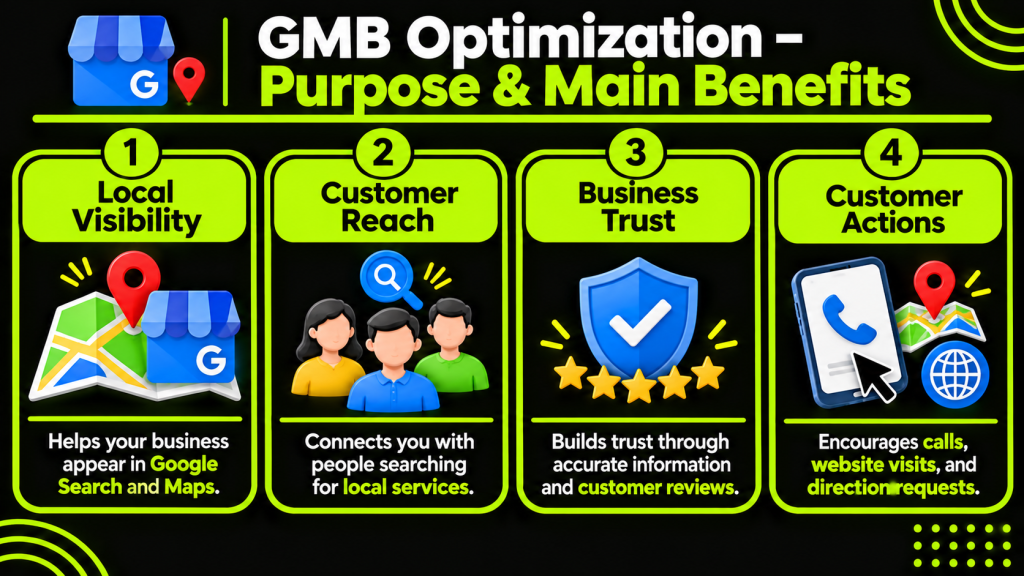
Optimising your GMB profile improves visibility on Google Search and Maps, helping attract more customers through calls, website visits, and direction requests. It involves updating business information, choosing relevant categories, managing reviews, adding images, and keeping your profile active.
In this guide, we will show you how to optimise your GMB profile if you run a small store, restaurant, dental practice, or service-based business.
What Is GMB Optimization?
Optimising your Google listing so that people can find and benefit from your local service/ product.
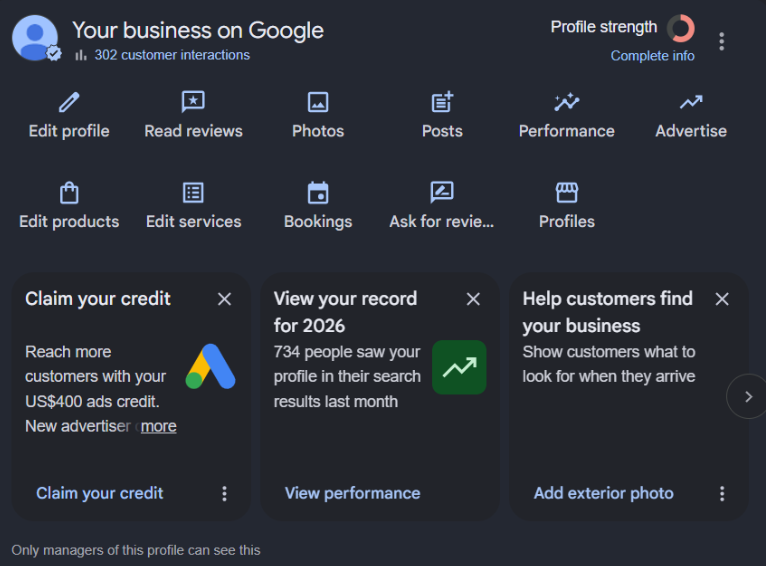
Google Business Profile (GBP) helps eligible businesses manage their business details, including contact information, services, opening hours, images, and reviews, to improve local search visibility.
If a user searches “dentist near me,” they may be presented with a selection of local dentists. Businesses with relevant and optimised listings can compete to be displayed within these results.
Improving Google Business Profiles will help you:
- Attract people searching for services in your location.
- Build trust through accurate information and reviews.
- Prompt people to get in touch, visit a page, or get directions.
How Does Google Rank Businesses on Google Maps?
Google will rank local businesses based on relevance, proximity, and popularity.
1. Relevance
Relevance measures how closely your business matches a user’s search. Choose the right business category, add clear service descriptions, and complete your profile to improve relevance in local search results.
2. Distance
Distance refers to how far your business is from the searcher. Keep your business address and service areas accurate to appear in relevant local searches.
3. Popularity
Prominence measures how well-known your business is online. Build genuine customer reviews, maintain consistent business information, and improve your website’s SEO to increase visibility.
How to Optimize Your GMB Profile for Better Rankings
Include all relevant information so that people can get to know your business better. To optimise your listing:
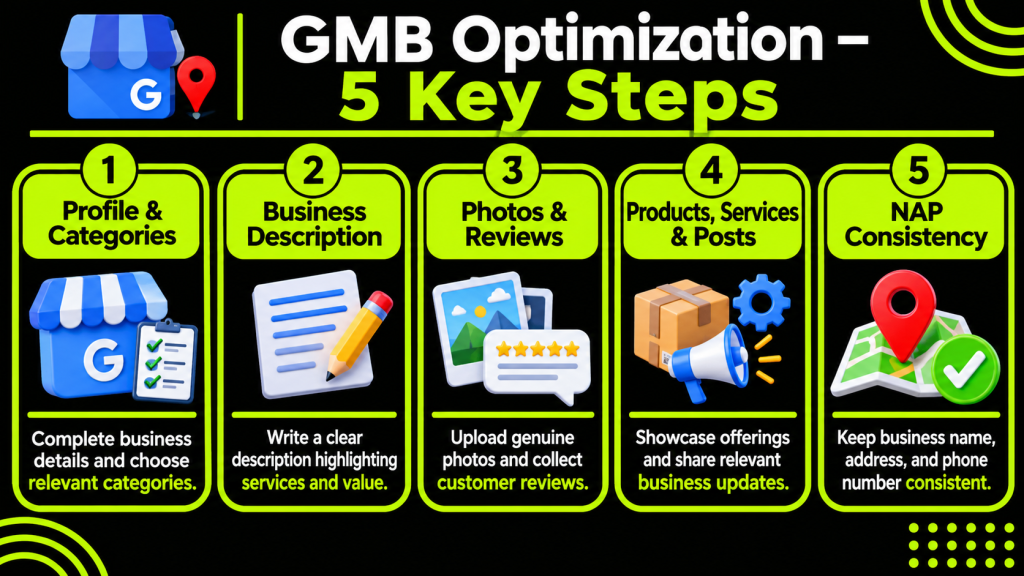
1. Complete Your Google Business Profile
Include all key details. If there are missing details, people may be unsure of what you offer, where you are, or when you are open.
Make sure your profile includes:
- Name of business
- Address/Service Area
- Phone Number
- Website
- Opening Hours
- Categories
- Services and Products
- Description of Business
Update this information if any of your business details have changed. If you have different opening hours at a different time of year, make sure to update these too.
2. Choose the Right Primary and Secondary Categories
Choose a primary category that best describes your main business and add relevant secondary categories for other services you offer.
A dental clinic can select ‘Dentist’ as its primary category and add relevant subcategories for its other services.
Use only a few relevant categories that accurately describe your main services. Avoid unrelated categories to gain more search visibility.
3. Write a Clear and Relevant Business Description
This short description enables consumers to understand what your business has to offer.
Describe your services, experience, service areas, and how your business helps customers. Include clear details about the work you offer.
Write a clear business description using relevant keywords naturally. Highlight your services and value within the 750-character limit, without keyword stuffing or marketing links.
4. Add High-Quality Business Photos and Videos
Add photos so that people get an idea of what you offer. Depending on your industry, consider uploading:
- Business exterior and interior photos
- Product images
- Team and workplace photos
- Completed projects
- Service-related images
Add genuine, high-quality photos of your business, products, and completed projects. Keep images updated to reflect new services, products, and improvements.
5. Collect Genuine Customer Reviews
GMB reviews help build trust with potential customers.
Encourage genuine customer reviews using a review link or QR code. Respond professionally to all feedback by thanking satisfied customers and addressing complaints politely.
Avoid buying fake reviews or offering incentives for positive feedback, as Google prohibits review manipulation and incentivised reviews.
6. Add Your Products and Services
Add your products and services with clear descriptions, relevant details, and prices where applicable to help customers understand your offerings.
For example:
- Hairdressers may add Hair Cuts, Coloured Hair and Styling.
- Plumbing services may add Pipe Repairs, Leak Detection and Installation.
- Dental services may add Teeth Cleaning, Fillings and any other treatments on offer.
Ensure that this information is accurate and remove any out-of-date services.
7. Publish Regular Google Business Profile Posts
Within Google Business Profiles, you can add posts.
Use posts to:
- Announce new products/services.
- Update people on business changes.
- Show off completed projects.
- Announce new events.
- Give useful information about services.
Ensure that all of your posts are relevant to your audience and include a good image if appropriate. Try to avoid adding duplicate posts just for activity.
8. Maintain Consistent NAP Information
Consistent NAP information helps customers contact your business, builds trust, and strengthens your local SEO presence.
Keep your business details consistent across your website, GBP, social media, and directories to help customers find and contact you easily.
Correct inaccurate information. Do not create multiple entries for the same business.
What Is Included in a GMB Optimization Checklist?
Use this optimisation checklist to ensure that all necessary information has been added to your GMB profile and to spot areas of improvement.
You can use this when creating a new listing or improving an existing listing.
| Optimization Task | What to Check |
| Profile verification | Confirm business ownership |
| Business information | Check name, address, and phone |
| Categories | Select relevant categories |
| Description | Add clear business information |
| Website | Add the correct website URL |
| Opening hours | Update regular and holiday hours |
| Photos | Upload genuine business images |
| Reviews | Encourage and respond to genuine reviews |
| Products and services | Add relevant offerings |
| Google Posts | Share useful business updates |
| NAP consistency | Check details across online platforms |
| Performance | Monitor calls, clicks, and directions |
You should regularly improve your listing using this checklist.
How Does Your Website Support Google My Business Local SEO?
Optimise your website alongside your GBP to provide clear business information, improve local relevance, and strengthen your local search visibility.
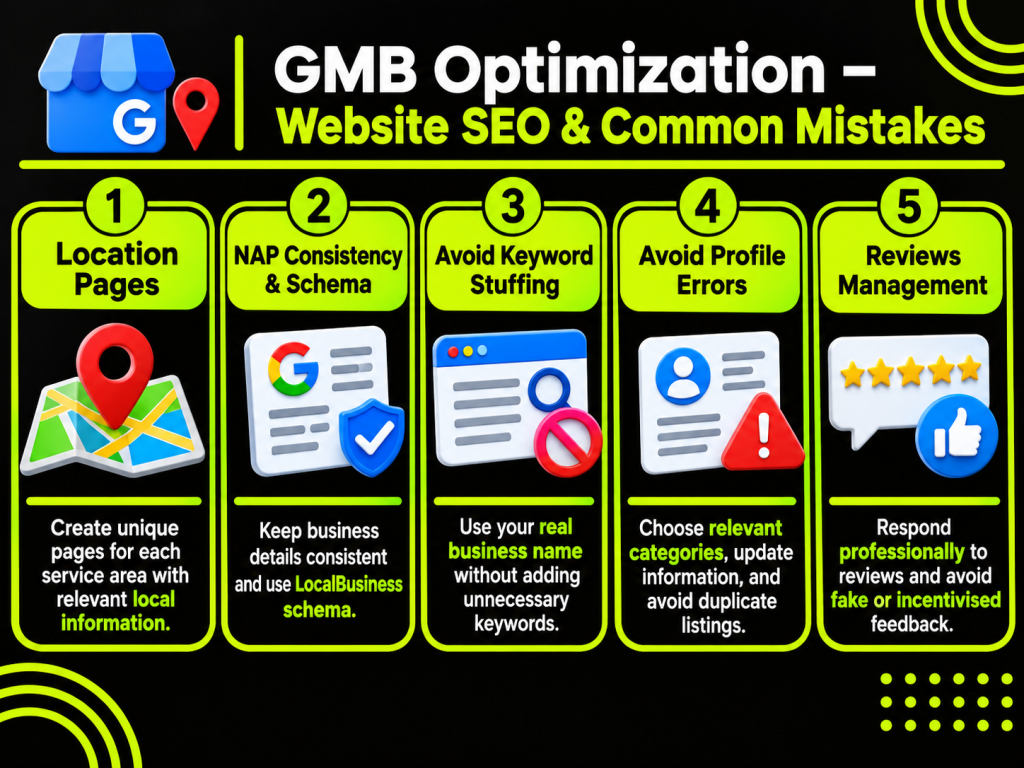
Some key optimisations you can perform include:
Create Location-Specific Website Pages
Create separate location pages for each area where your business offers services, such as Lahore and Islamabad.
Include relevant services, local details, contact information, and useful content on each page. Keep every location page unique and avoid duplicate content.
Keep Business Information Consistent
Be sure to include your business information (name, address, phone number) in line with your Google Business Profile.
Clearly show your contact information. To make it as easy as possible for people to contact you, having a contact page is a great idea!
Use Local Business Schema Markup
LocalBusiness is a type of structured data. It tells Google things like the name of the business, address, hours of operation, etc.
By including relevant structured data of type LocalBusiness on your site, you make it easier for search engines to find information about this business. However, it is not guaranteed to give better rankings in Google Maps or rich results.
Common GMB Optimization Mistakes to Avoid
Poor quality and inaccurate information, and a negative user experience, may occur if not filled out properly.
1. Adding Keywords to Your Business Name
Avoid adding unnecessary additional keywords and locations to your business name. The name in your profile should match the real-world business name.
For example, adding ‘Best Dentist in Lahore’ to the business name of a clinic in real life that has not been used in the branding of the business in real life will run against Google guidelines.
2. Choosing Incorrect Categories
Make sure that the categories are relevant to your business. If you include categories that aren’t relevant, it might cause confusion among your customers.
3. Ignoring Customer Reviews
Don’t forget to respond to customers’ reviews. Even if they wrote a positive review, take some time to respond. Be professional in addressing any real problems.
4. Creating Duplicate Listings
Avoid multiple listings for the same business in the same location. Each appropriate business location should be represented by a single, accurate listing.
5. Using Fake Reviews
Do not buy reviews or offer rewards in return for positive ratings. Instead, make sure that the reviews reflect real experiences from customers.
6. Providing Incorrect Business Information
Make sure all information is up to date, including telephone number, opening times, and address. Regularly check your profile to keep it updated.
How to Measure Your GMB Optimization Performance
Check that you’re getting value out of optimising your listing. Using Google Business Profile will give you some insight into how people are discovering and interacting with your listing.
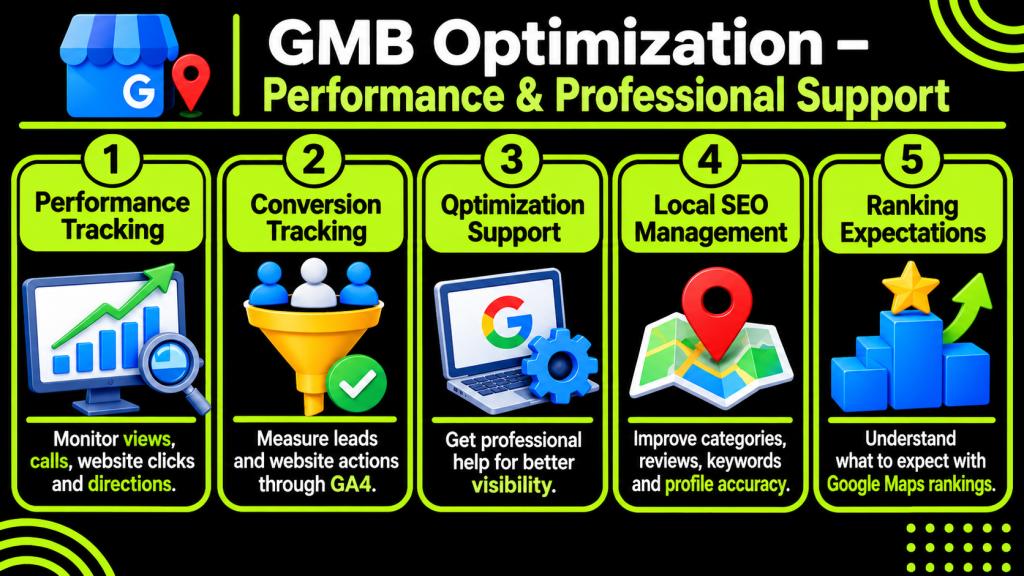
Once you have a verified listing, click ‘Performance’.
Key insights include:
- Profile views
- What people searched for to find your business.
- Calls
- Number of times a customer called using the call button.
- Website links
- Number of times people clicked on the website link.
- Directions requested
- Number of times people requested directions.
- Bookings (where available with an appropriate booking service)
- Number of completed bookings.
This information lets you see how customers are interacting with your business in Search and Maps.
Track Website Leads and Conversions
Interactions don’t always equate to revenue.
Connect your GBP with GA4 to track website conversions, such as form submissions, purchases, and bookings, and measure how effectively your profile attracts customers.
You can therefore understand the effectiveness of your profile at driving real business.
When Should You Consider a GMB Optimization Service?
Although managing a Google Business Profile may appear simple to manage, in order to effectively manage multiple locations/offerings within it, it does require regular maintenance.
Professional GBP optimisation ensures accurate profile setup, relevant categories, correct business information, review management, local keyword research, and performance tracking.
Consider professional support when:
- You are not appearing in local searches
- Your business listing is incorrect/missing details
- You have more than one location
- Or you see that your competition has good local visibility
Then using an expert in local SEO may be useful. They’ll be able to look at your website and suggest how you can optimise it for local search. These suggestions will be specific to your business aim.
You may be attracted by businesses promising you top-of-page visibility on Google Maps. However, it is not possible to pay Google to improve your organic listings.
How Does GMB Optimization Differ for Different Local Businesses?
All businesses will require slightly different optimisation. Ensure that your listing reflects how people are searching for and using your service.
| Business Type | Important Optimization Areas |
| Restaurants | Menu, food photos, opening hours, and reviews |
| Dental Clinics | Treatments, practitioner details, and patient feedback |
| Salons | Services, pricing, photos, and appointments |
| Real Estate Agencies | Property services, contact details, and location information |
| Plumbers | Service areas, emergency services, and phone calls |
| Retail Stores | Products, store hours, and location details |
| Hotels | Room information, amenities, photos, and bookings |
| Contractors | Service descriptions, completed projects, and customer reviews |
Ensure correct address information. In service-based businesses, like plumbers and on-site repair services, ensure that the right areas are covered within your profile. If you visit clients at their location, do not include the address of your home/office in the address field (Google guidelines).
Digital Usman: Supporting Better Online Business Visibility
Improve local search visibility with a GBP, relevant keywords, quality content, consistent business information, and a clear understanding of your target audience.
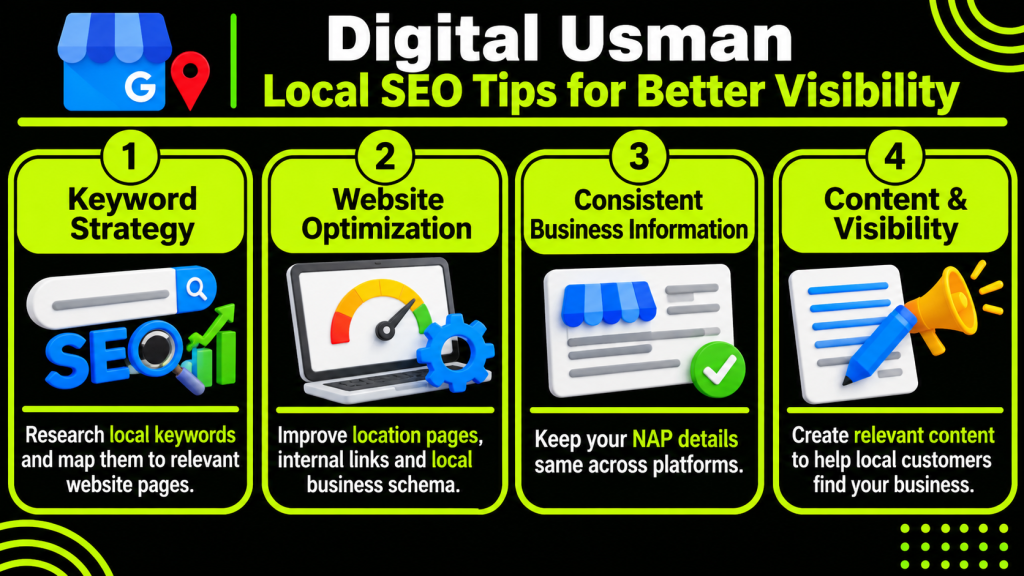
Use SEO to identify relevant local keywords and map them to the right website pages to improve local search visibility.
SEO and Keyword Strategy
By researching the correct keywords, we can create appropriate content for your business. By doing this, you can have appropriate content on your service pages, location pages, and blog posts.
Local SEO and Website Optimization
Local SEO improves your website and online business information to help nearby customers find your services through location pages, internal links, consistent NAP details, and local business schema.
Content and Online Visibility
Local SEO optimises your website and business details to help nearby customers find your services through local content, consistent NAP, internal links, and schema.
Explore our blog for practical SEO tips, keyword strategies, and digital marketing insights to help your business improve online visibility.
Conclusion
Optimizing your GMB listing makes it easier for people to find you in Google Search and Maps. Give accurate information, select relevant categories, add authentic reviews, relevant images, and update frequently.
Ensure your profile is supported by an optimised website, with consistent details within the profile. As GMB ranking depends on relevance, proximity, and popularity, it may vary depending on where in the world the user searches from.
For businesses looking to improve their online presence and local search performance, Contact Us to discuss your requirements.
FAQs
1. How long does GMB Optimization take to show results?
Improvements in rankings will vary depending on your location, competition, profile quality, and local SEO as a whole. Making regular updates and engaging with customers can help improve results over time.
2. Is Google Business Profile optimization free?
Creating and managing a Google Business Profile is free. Some businesses pay for services from professionals/ agencies to help with managing their profiles, researching keywords, managing reviews, and implementing local SEO.
3. Can GMB Optimization help small businesses get more customers?
Yes. Optimising your profile allows small businesses to appear in relevant local searches. It means that more important information about your business is visible. Potential customers can also call, visit, or ask for directions to your business.